
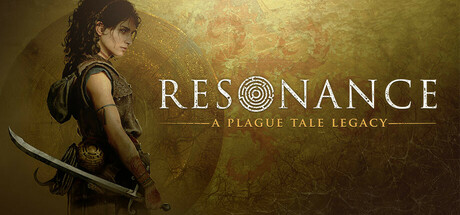

Resonance follows Sophia on a separate adventure set before Requiem. Its official materials describe exploration, light-based puzzles, combat and accessibility choices, with a later bug-fix update narrowing some technical issues. This FAQ keeps story entry, adjustable options and current corrections separate.
- Do I need to finish the earlier games first?
- What are the main gameplay activities?
- Can difficulty change during the adventure?
- Where should I look for assistance?
- Is high contrast the same as a colorblind preset?
- What does the latest bug-fix post actually address?
- Can assistance remove all mature content?
- How long is the game and what does purchase include?
1. Do I need to finish the earlier games first?
The official reveal FAQ says the earlier games are not required to begin this adventure. The store places Sophia on the Minotaur island fifteen years before Requiem, with a new story and its own exploration and combat. That establishes an entry point without explaining later plot outcomes. Prior familiarity can supply context, but it should not be turned into an invented save-transfer requirement or mandatory purchase of both earlier titles.
Sources: Official reveal FAQ / Current Steam listing
2. What are the main gameplay activities?
Official descriptions combine island exploration, a notebook and light-based puzzle tools with close combat and pursuit by Nemesis. Minoan history and the medieval setting contribute to the investigation. These are game mechanics and story context, not a complete solution list. This guide does not invent exact sphere placements, hidden codes or a fixed route from an overview. Keep the current clue, tool and obstacle visible before comparing an action.
Sources: Current Steam listing
3. Can difficulty change during the adventure?
The accessibility blog says difficulty can be adjusted at any time and describes assistance such as automatic defensive actions on its gentler narrative setting. Its prose and later option table use different difficulty labels, so this guide does not turn that page into a definitive numbered list of current menu names. Read the installed choices and their descriptions. Adjusting difficulty and enabling a specific accessibility aid answer different needs.
Sources: Official accessibility feature guide
4. Where should I look for assistance?
The developer groups features in an Accessibility tab and documents options for motor and visual needs. Examples include automated grappling, automatic quick interactions, hold-or-toggle choices and camera settings. Start with the obstacle you are trying to reduce rather than enabling every feature at once. The article describes available kinds of assistance; it does not guarantee that each combination removes every barrier for every device or player.
Sources: Official accessibility feature guide
5. Is high contrast the same as a colorblind preset?
The blog distinguishes high contrast for emphasizing interactive objects and characters from targeted color customization. It discusses separate exploration, puzzle and combat contexts with a real-time preview and presets for different color-vision needs. A general contrast switch is therefore not a universal replacement for those choices. Compare the exact element you need to recognize, then check how the selected setting affects it in the intended context.
Sources: Official accessibility feature guide
6. What does the latest bug-fix post actually address?
The October update fixes several input and interface paths, including notebook navigation, Focus Attack and Prism-unlock rebinding. It also corrects joystick-swap persistence and reduces stutter when entering Nemesis areas. These are named conditions, not a promise that every chapter or hardware configuration runs without stutter. A corrected rebind and a performance symptom should be checked independently, using the actual action and current build.
Sources: Released current patch
7. Can assistance remove all mature content?
The official accessibility table includes a blood-effects control, while the current listing retains its mature-content descriptors. A control for a particular effect is narrower than a guarantee that every intense scene or mature theme disappears. The guide stays non-graphic and avoids treating accessibility settings as a blanket age or content certification. Read the current option and use the game content notice when deciding whether the overall experience fits your needs.
Sources: Official accessibility feature guide / Current Steam listing
8. How long is the game and what does purchase include?
The reveal FAQ estimates about twenty hours, which is an approximate developer expectation rather than a guaranteed duration. Exploration, assistance and individual progress can affect a session. The current regular US base price is $49.99. Historical preorder or physical-edition announcements do not establish that every present digital purchase includes those bonuses. Check the selected current package rather than importing an old promotion into a gameplay requirement.
Sources: Official reveal FAQ / Current Steam listing / Official release announcement
| Question | Keep these separate |
|---|---|
| Starting the story | Prior familiarity versus a mandatory prerequisite |
| Needed assistance | Difficulty, interaction controls and visual options |
| Technical issue | Named correction versus a universal performance claim |
Choose the option that addresses your actual obstacle. Check installed menu wording where one official pre-release page uses inconsistent difficulty labels.
Related guides
Begin with the separate Sophia adventure, use adjustable difficulty and targeted accessibility settings, and match current input or stutter corrections to their specific conditions. Treat completion estimates and historical packages as limited context.
Sources checked October 14, 2026. Published facts are linked beside their explanations. Planning and practice suggestions are editorial advice rather than verified optimal builds.
Comment
No comments yet. Be the first to post one.