


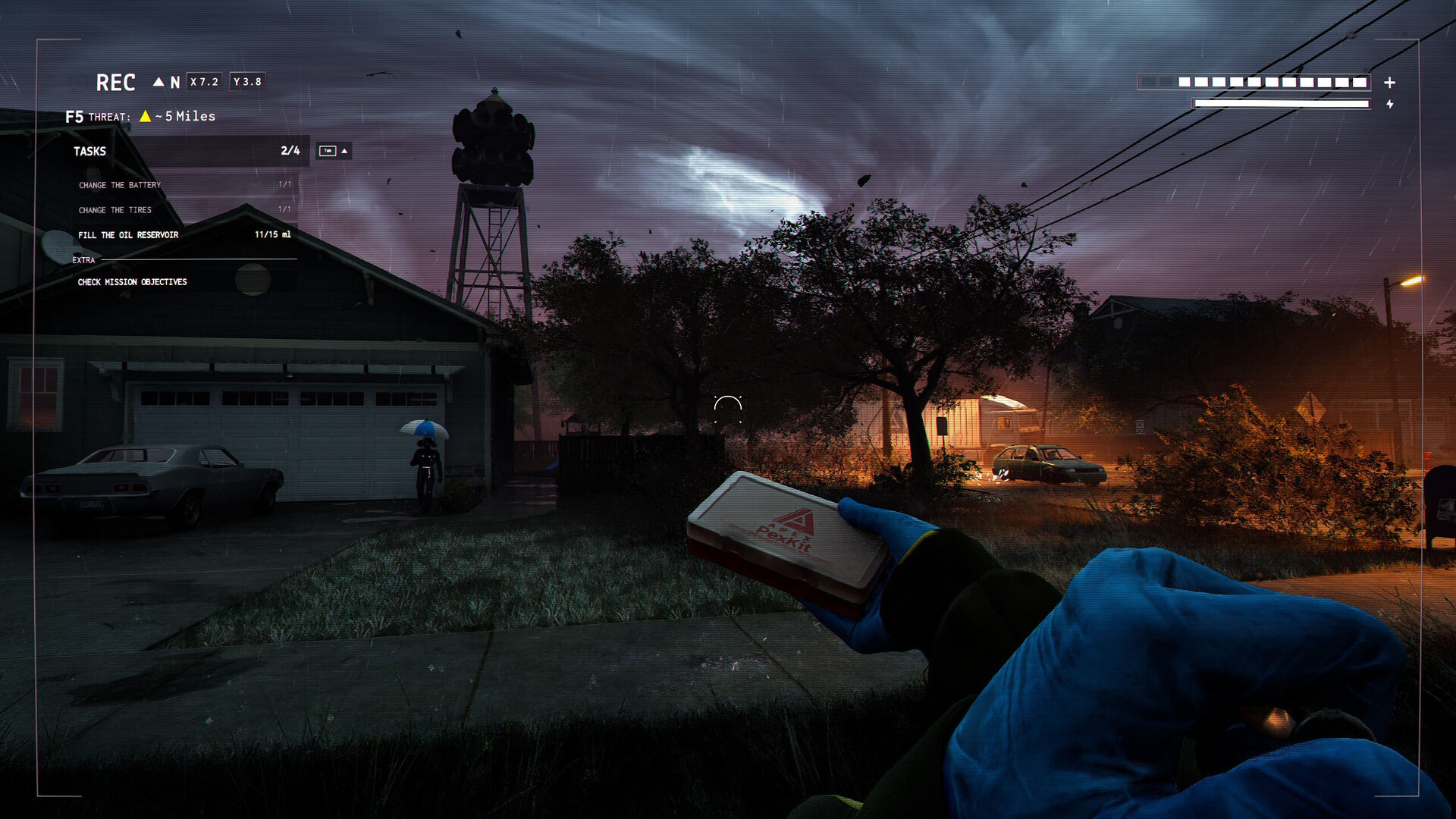
Funnel Runners is a timed escape game about making a broken van usable before the storm overtakes the area. Solo play, public lobbies and repair controls have changed during Early Access. This FAQ focuses on the released build and separates repair objectives from optional archive collecting.
1. Do I need eight players to start?
No. The developer supports one to eight players. The April lobby devlog says vehicle problems and map events scale with player count while map size stays the same. That is a useful explanation of the design, not a promise of an exact difficulty ratio. Start with the group you have and learn how much ground it can cover. The later Patch 011 explicitly fixes offline solo play; online co-op still needs a working Steam connection and compatible session setup.
Sources: Devlog #006 - Lobbies, Solo, and Multiplayer / Patch Notes #011 - Cutscenes & Emote Wheel!
2. What ends a successful run?
The central task is to repair the van and escape before the escalating storm catches the crew. Tools and replacement parts must be found and used; simply carrying them back does not complete a repair. Developer devlogs describe an approximately 20-minute run, but that is not a guarantee that every setting or update gives you a safe fixed countdown. Read the live vehicle status and weather situation. When the van can leave, coordinate boarding rather than delaying escape for an optional collectible.
Sources: Devlog #002 - Repair Systems and Tools
3. How do friends join a lobby now?
Patch 013 adds Session Codes: the host can view and copy a code from Session Info, and players can enter it in Join Session. The update also allows Steam friends to use Join Game through Steam Presence for Invite Only sessions. Earlier public and private lobby behavior remains a useful concept, but old invitation instructions can miss these newer controls. Patch 012 prevents joining a match that is already underway, so form the crew before starting rather than expecting a late join to work.
Sources: PATCH NOTES #013 - Session Codes & Quality of Life / PATCH NOTES #012 - Network Stability & Bug Fixes
4. Are repairs still just fast button prompts?
Not exclusively. Patch 010 adds new repair problems and five minigame types, including reaction, timing, effort, path logic and pattern matching. Inputs can be rebound in Settings and changes take effect when Apply Changes is used. The Effort minigame has an accessibility option that replaces button mashing with the classic QTE. Check the current prompt instead of following an older video that only describes one rapid-input repair sequence.
Sources: Patch Notes #010 - New Minigames and Van Problems!
5. Which items should take priority?
The developer groups items into repair tools, helpful gadgets, consumables and collectibles. A part required by the current van fault directly contributes to escape; a collectible generally serves a task or archive entry instead. A tire repair, for example, is documented as needing a scissor jack, toolbox and replacement tire. Match what you carry to the actual fault list before filling a trip with optional finds. This is a priority method, not a fixed spawn route or a guarantee that the same repair set appears every time.
Sources: Devlog #002 - Repair Systems and Tools
6. Why does an old control guide differ from my game?
Patch 013 adds separate mouse and controller look sensitivity, tutorial subtitles and configurable door interactions. In that note, opening a door with Interact is off by default while closing with Interact is on. Door prompts now distinguish unlocking, opening and closing. Learn the action shown by your installed build and customized bindings. A changed prompt does not necessarily mean a locked-door bug or a missing item, and instructions should name the setting before prescribing a universal key press.
Sources: PATCH NOTES #013 - Session Codes & Quality of Life
7. Am I safe once the van has started?
Hotfix 0.13.1 changes the ending sequence so players already inside the gameplay van are not pulled out by tornadoes after it has successfully started the escape. The condition matters: it is not a guarantee for people still outside, nor a claim that standing near a repaired vehicle is enough. Get the crew aboard and confirm the actual departure state. This is a game mechanic in the published patch, not advice about sheltering in a vehicle during a real-world tornado.
Sources: HOTFIX #0.13.1
8. Can I explore The Great Plains today?
On October 11, the latest hotfix announces The Great Plains for October 26. The September devlog previews rural layouts and new hazards, but those remain forthcoming rather than confirmed content in the checked build. For a connection problem today, use the current Known Issues list: invitations and session connections are still mentioned after the fixes. Include build, host or client role and the step where joining failed when reporting it. Do not mix a future biome problem into a report about the present suburban maps.
Sources: HOTFIX #0.13.1
| Item category | Role in a run |
|---|---|
| Repair tools and parts | Resolve the current vehicle faults |
| Gadgets and consumables | Support survival and movement |
| Collectibles | Tasks and archive or lore progress |
Check whether your problem concerns lobby setup, a repair action or departure. Each has different controls and patch notes.
Related guides
Play with the crew you have, use current session-code and repair controls, prioritize the van fault list and board for escape. Keep future-biome previews separate from the Early Access build you are actually running.
Sources checked October 11, 2026. Published facts are linked beside their explanations; testing and teamwork suggestions are editorial advice, not verified optimal builds.
 Funnel Runners Van Repair Guide / Walkthrough
Comment
No comments yet. Be the first to post one.