

Questions about single-player modes, factions, unlocks and the current pit and Endless rules. Update dates identify the source of a change; they do not turn an old free-play event or a mobile announcement into a current PC feature.
- What kind of game is it?
- How many factions and heroes are there?
- Why did blocking a path produce enemies?
- Why does Endless feel different from old footage?
- Can I control the buildings offered as reinforcements?
- Is it still free, and is the mobile game the same product?
- Should I restart if progress or damage looks wrong?
1. What kind of game is it?
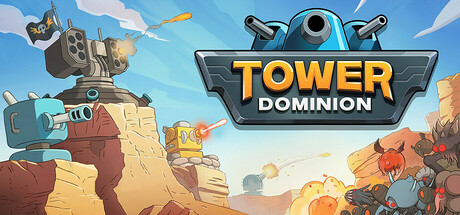
Tower Dominion is a single-player tower-defense strategy game built around editing the ground as well as placing defenses. The store describes four difficulty levels and an endless Frontier Mode. You select upgrades and rewards between waves, so the tools available during a run affect the decisions you can make. The Steam feature list should be checked for the edition being purchased. Do not infer cooperative play from a promotional invitation to share results with friends; comparing scores and playing the same run together are different capabilities.
Source: Official Steam product information.
2. How many factions and heroes are there?
The store describes three factions with distinct arsenals and biomes, and ten heroes per faction. Heroes are earned through achievements, and building upgrades are discovered over time. That establishes the broad structure, but it does not make an unverified starting hero or a five-building opening mandatory. Check which heroes are unlocked on the current account, then read the selected faction and hero effects in the game. A faction comparison should distinguish what the game makes available from an editorial preference about what feels easier to learn.
Source: Official Steam product information.
3. Why did blocking a path produce enemies?
The monster-pit update made a fully enclosed dead end a potential source of enemies rather than permanently empty space. This is why older advice to remove every unwanted branch needs a qualification. Inspect the new pit and the remaining routes after changing terrain. Patch 1.66 also fixed a case where pits were not generated correctly, so a layout that behaved differently in an old recording is not sufficient proof of current behavior. Read the actual battlefield instead of assuming that a closed approach has become free of consequences.
Source: Official monster-pit update.
4. Why does Endless feel different from old footage?
The April 2026 patch moved Endless toward faster escalation. An older video showing a long quiet opening does not establish how much time the current run will allow. Compare the same mode and game version before treating a wave count as a benchmark. The earlier 1.64 patch also addressed an Endless Quit/Continue issue involving enemy health bonuses. These are specific changes, not a guarantee that reloading fixes every difficulty problem or that an earlier result can be reproduced with the same purchases.
Source: Official patch 1.66.
5. Can I control the buildings offered as reinforcements?
The pit update introduced Attenuator and Amplifier buildings to influence reinforcement rewards. Patch 1.64 clarified an important scope: targeting an Advanced version also affects the regular building type. A selection can therefore reach beyond the exact label a player expected. Read the displayed choice before committing it, and do not treat these tools as direct tower-damage upgrades or a promise that the next reward will contain one exact item. Their role concerns the reward pool; placement, cost and the actual offered choices remain part of the run.
Source: Official patch 1.64.
6. Is it still free, and is the mobile game the same product?
The July 2026 Steam promotion was limited to 30 July through 2 August. It is historical evidence of a free-play event, not a statement that the PC game is permanently free today. The December 2025 announcement separately introduced Tower Dominion GO on mobile. This guide covers the Steam PC application; that announcement alone does not establish cross-save, shared purchases or identical balancing. Check the current product page and the platform-specific information before purchasing or trying to move progress between devices.
Source: Official Steam product information.
7. Should I restart if progress or damage looks wrong?
First identify the symptom and version. Official patches fixed particular progression-loss conditions, and earlier performance work addressed low frame-rate or accelerated-play damage issues. Those fixes do not demonstrate that every unexpected result has the same cause. Preserve the existing save and record what happened before experimenting with settings or a different run. For a tactical failure, compare enemy information, routes and damage contribution. For a technical fault, keep the relevant mode and action available for a focused report rather than erasing the evidence by starting over.
Source: Official patch 1.37.
| Check | What to compare |
|---|---|
| Closed path is not empty | Check for a generated pit and its effect |
| Old Endless benchmark | Compare mode and version before wave counts |
| Promotional announcement | Separate a dated event or mobile product from current PC ownership |
Historical product notices: July 2026 limited Steam event and December 2025 mobile release announcement. These are separate from the current PC purchase conditions.
Comment
No comments yet. Be the first to post one.