
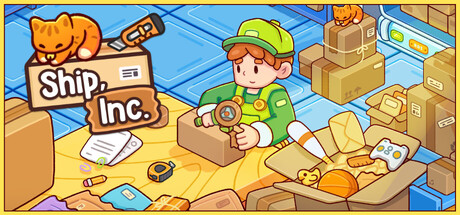

The packing loop in Ship, Inc. is simple to learn, and the difference between a smooth day and a costly one is mostly about habits. This guide collects them. It uses the store page, reviews from The Geekly Grind, Joystick Diaries and Emmanessy, and the official achievement list, which is named where it adds a detail.
1 Read the slip before touching anything
Every order starts with a printed packing slip. The store tells you to follow shipment orders carefully and warns that misplacing or damaging shipments costs you. Taking a second to read what goes in the box, and whether anything is fragile or heavy, prevents most errors later in the chain.
2 Pick the right box
Choosing the correct box size is the first real decision. The store frames it as select the correct box, arrange items properly and seal them securely. The Geekly Grind noticed that box fitting has no strict interface limits, so loose packing may be tolerated, but a sensible size keeps fillers and the truck manageable.
3 Fragile and heavy items
The store notes that fragile items require extra attention to avoid damage in transit. Reviews describe the handling: bubble wrap for protection, and fragile or heavy stickers on the box. Joystick Diaries describes fragile, heavy and miscellaneous item categories, each needing appropriate packaging.
| Item type | What to add |
|---|---|
| Fragile | Bubble wrap and a fragile sticker |
| Heavy | A heavy sticker |
| Everything | Filler, tape and the address sticker |
Early on, address stickers need the order number typed in by hand. The Geekly Grind points out that the barcode scanner upgrade removes that step, which makes it the most useful early purchase.
4 Cleaning and repairs
Some items arrive in bad shape. The Geekly Grind describes wiping dirty items with a sponge and repairing broken ones through a puzzle where you align pieces. Both are achievements in their own right: cleaning counts up to 100 items, and The Technician is for your first repair. Handle them before packing so a damaged item never goes into a box.
5 Mistakes and what they cost
Joystick Diaries explains the safety net: the conveyor rejects major errors, and minor mistakes are charged as financial penalties. The mode sets how harsh this feels. Chill has fewer penalties, while Rush Hour has more and gives less time.
6 Keep supplies stocked
Packing uses up materials. The achievement list names the supply types in Inventory full: stickers, boxes, packing peanuts, tape and bubble wrap. Emmanessy also mentions stock management for shipping materials. The It Just Hit Me achievement is for buying a supply while working, which suggests you can restock mid shift, but topping up after work avoids interruptions.
Colour variety is optional: two achievements ask you to use every colour of packing peanuts and every colour of tape at least once, and another asks for every possible sticker placed on a single box.
7 Urgent orders and the truck
Joystick Diaries mentions time sensitive, higher paying shipments and occasional oddball requests. Prioritise urgent orders when they appear, since they pay more. At the end of the day, The Geekly Grind describes arranging packed boxes to fit into the truck; sending the first one earns Beep Beep. Consistent box sizes make that final step much easier.
Read the packing slip first, choose the smallest suitable box, fill around items, tape and label. Add bubble wrap and a fragile sticker for fragile items and a heavy sticker for heavy ones, and buy the barcode scanner early to skip typing order numbers. Clean dirty items and repair broken ones before packing. Major errors are rejected and minor ones cost money, so treat a rejection as a checklist. Keep boxes, peanuts, tape, bubble wrap and stickers stocked, prioritise urgent orders, and use consistent box sizes for easier truck loading.
Comment
No comments yet. Be the first to post one.