
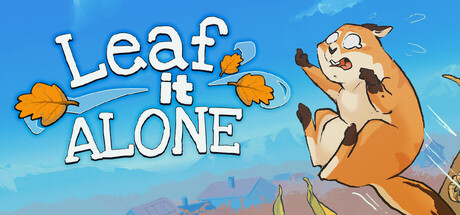

A nearly finished area can be more confusing than a large visible pile. Leaf it Alone has applied fixes for unreachable leaves, save corruption and objective displays. This guide gives a way to distinguish those problems, protect a usable save and compare completion results without turning future Custom Mode rules into current instructions.
- Name the completion measure you are trying to finish
- Check applied collider fixes before following an old workaround
- Do not export the problem into a locked neighboring area
- Treat the save validator as a specific repair, not a general reset
- Use the corrected save-folder command carefully
- Compare the same result tab when investigating a time discrepancy
- Revisit objective timing rather than guessing hidden thresholds
- Keep replay and achievement promises in their correct version
1. Name the completion measure you are trying to finish
The game includes cleaning progression, journal objectives and leaderboard results. Before troubleshooting, identify which one is incomplete and read the corresponding panel. Version 1.0.14 adds a completed-objective count to the journal, while 1.0.12 fixes Rankings showing an incorrect objective list. A remaining journal task is not automatically a missing leaf, and a ranked-time display is not a count of cleaned areas. Keeping those measurements separate avoids spending an entire session searching the terrain for a problem that belongs to a different result screen.
Sources: Current Steam listing / Released comfort and journal update / Released save and rankings fixes
2. Check applied collider fixes before following an old workaround
Leaf colliders have been revised repeatedly. Version 1.0.16 fixes completely flattened leaves that could appear underground and improves the basement boundaries; earlier updates address greenhouse floor clipping and other places where leaves could escape reach. Update the game before reproducing a launch-era workaround or declaring the save impossible to finish. If a leaf still appears trapped, describe the area, what you can see and the current build. The published fixes do not document one magic recovery action for every remaining object.
Sources: Released 1.0.16 fixes / Objective and collection fixes
3. Do not export the problem into a locked neighboring area
The developer closed several cross-boundary exploits because they could break progression. The 1.0.8 grill-door fix prevents leaves being blown through a hole from the shed roof, and the same patch prevents using stacked bags to cross areas. A route shown in an old clip may therefore be an exploit that no longer exists. Keep cleaning within the open area and use its intended collection route. Do not assume a future Custom Mode with all areas accessible can recover a current normal save today.
Sources: Area-boundary progression fixes / Future Custom Mode preview
4. Treat the save validator as a specific repair, not a general reset
Version 1.0.12 addresses saving during leaf-inlet use and adds automatic validation for saves affected by that missing-leaf bug. It is sensible to update before deciding that such a save is unrecoverable, but the note does not promise recovery from every manual edit, deletion or unrelated failure. Version 1.0.14 also prevents leaves disappearing on quit. Retain the file you need and compare the symptom with the documented bug rather than deleting a session as the first step of diagnosis.
Sources: Released save and rankings fixes / Released comfort and journal update
5. Use the corrected save-folder command carefully
The 1.0.15 update fixes Open Saves Folder so it points to the proper location. If you need to retain a copy of a save before experimenting, use that corrected location and identify the file you intend to keep. The released notes do not provide a supported save-editing recipe, and this guide does not recommend editing currency, tool or objective values. Check slot capacity separately: all ten occupied slots block New Game in the current game. Deleting a slot and repairing a corrupted save are different operations.
Sources: Released save-folder fix / Save-slot and display fixes
6. Compare the same result tab when investigating a time discrepancy
The 1.0.12 patch aligns the final time between Summary and Rankings and fixes the Rankings Objectives tab refreshing the wrong list. Version 1.0.10 corrects playtime formatting beyond 24 hours. If you compare a screenshot with your result, identify whether it shows a final ranked time, overall playtime or objective progress. Use the same measure and current version before calling the difference a speedrun record problem. LiveSplit support exists, but its integration is a separate feature from the future built-in timer.
Sources: Released save and rankings fixes / Save-slot and display fixes / Planned interface features
7. Revisit objective timing rather than guessing hidden thresholds
The basket, Jump into Leaf Pile and Buy All Upgrades tasks have had their start timing adjusted in applied patches. Inspect the active objective and the progress shown when you perform its action. If a previous attempt happened before the task counted, a total progress number alone will not explain why it remains open. The official notes do not give every hidden prerequisite or exact threshold, so do not substitute an invented number for an unavailable condition. Report the objective name, build and action if it still fails.
Sources: Objective and collection fixes / Released comfort and journal update
8. Keep replay and achievement promises in their correct version
The planned 1.1 Custom Mode includes configurable conditions, a Ranked toggle for default rules and different achievement eligibility. The preview also describes revisiting previously played maps from a new session. Those promises may become useful for cleaning up missed objectives after release, but October 30 is still ahead at this check. For now, work with your existing released-version saves and objectives. After 1.1 actually launches, read the applied notes before importing a previewed eligibility rule into a completion plan.
Sources: Future Custom Mode preview / 1.1 release-date preview
| Symptom | First distinction to make |
|---|---|
| An area seems unfinished | Visible missing leaves or a separate journal objective |
| A saved session lost leaves | Specific inlet-save issue and installed patch |
| Two times differ | Summary time, ranked time or total playtime |
Preserve the save before troubleshooting, name the exact area or objective, and check the relevant applied fix. Avoid file edits and outdated routes through closed boundaries.
Related guides
Separate completion measures, check current collider and save fixes, and protect a known session. Compare like-for-like result screens and leave previewed Custom Mode achievement rules for the actual 1.1 release.
Sources checked October 13, 2026. Published facts are linked beside their explanations. Planning and practice suggestions are editorial advice rather than verified optimal builds.
Comment
No comments yet. Be the first to post one.