
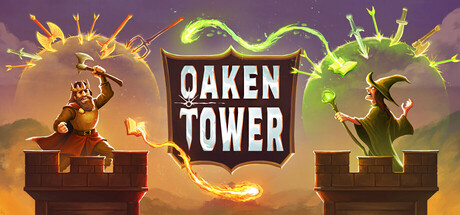

Oaken Tower is in Early Access, with builds changing as new packs and balance patches arrive. A useful first session teaches you to read item triggers, recognize types and compare a fight with the shop decision that produced it. This guide uses the current Q3 tools and later fixes to build that foundation without claiming one permanent best opening.
- Choose a mode before comparing results
- Use the pack preview to narrow the first experiment
- Read the trigger and receiving condition as separate parts
- Check types before counting a synergy
- Treat purchases and leveling as different uses of resources
- Use the collection to inspect prices and trophy progress
- Keep a favorite build as a versioned learning reference
- Inspect a crowded inventory before the next action
1. Choose a mode before comparing results
Use Casual when your immediate goal is learning and experimentation, and confirm the lobby setting if you are joining Duos. Ranked belongs to a reworked rating system and seasonal competition, so a result there carries different expectations. Pick a familiar mode for the first tests of an item interaction. This is a learning recommendation, not a claim that Casual opponents or shop offers are identical in every run. Keep the mode visible when asking another player why a build performed differently.
Sources: Current Steam listing / Official Duos release notes / Duos timer and synchronization hotfix
2. Use the pack preview to narrow the first experiment
The Q3 update improves pack and perk selection and lets new players hover a pack for a preview. Fairy focuses on spellbooks and adding types, while Vampire focuses on HP-related systems, Lifesteal and Dread. Read those themes as starting points for a question you can test, rather than a promise that every item within a pack belongs in every tower. Pick a small interaction you understand and watch the items involved, instead of buying a full advertised theme without reading its conditions.
Sources: Released Q3 systems update
3. Read the trigger and receiving condition as separate parts
Patch 0.6.5 highlights keywords in items and potions, with 0.6.5.1 reducing excessive highlighting for readability. Identify what causes an item to activate and which other item is supposed to respond. Lifesteal does not activate effects that specifically require Heal, even though it restores HP. This distinction illustrates why similar everyday descriptions are not interchangeable game events. Use the exact current text to test a pair and record which action happened before assuming that the whole pack or perk is broken.
Sources: Keyword and Lifesteal update / Item wording and stack-selection hotfix
4. Check types before counting a synergy
The Q3 update adds new type interactions and changes several existing items, including Turnbound Ring, which now follows the types present in your tower rather than simply holding All by default. The update also filters duplicate types. Inspect the current item and the rest of the tower before calculating which effect should receive a benefit. A guide that assumes an old universal type tag can mislead even if the item name remains the same. Change one relevant item first so the result can be explained.
Sources: Released Q3 systems update
5. Treat purchases and leveling as different uses of resources
The official loop includes buying and combining items as well as leveling to access rarer items. The July balance notes explicitly respond to an early-leveling strategy and adjust combat XP rewards, showing that the tradeoff changes with patches. Choose what your current tower lacks before spending. A weak interaction does not become understood merely by accessing a rarer shop tier. The cited notes do not establish a universal day-by-day spending schedule, so use current costs and the fight you actually observed.
Sources: Current Steam listing / Official Duos release notes
6. Use the collection to inspect prices and trophy progress
The Q3 update adds a price-view button and a trophy display in the collection, as well as player statistics and tracking for wins with three-star items. These tools help you distinguish acquisition costs from progress toward an item-based objective. Read the current collection entry before following an older cost in a build screenshot. A trophy total is a record of past performance, not evidence that a particular item is guaranteed to win the next fight or that a completed objective explains every trigger condition.
Sources: Released Q3 systems update
7. Keep a favorite build as a versioned learning reference
The Q3 update allows saving up to ten favorite builds from match history. Use a favorite to remember which items, types and perks were present when an interaction worked, and note its patch. If you revisit it after a balance change, compare the current text and costs instead of blindly copying the old arrangement. The Elvish Orb change being reversed in 0.6.5.1 is a concrete example of why a reference can age quickly. A stored build remains useful as evidence of a run, not a permanent optimal formula.
Sources: Released Q3 systems update / Item wording and stack-selection hotfix
8. Inspect a crowded inventory before the next action
The 0.6.5.1 update changes stack selection to the item whose origin is closest to the pointer, displays one infobox at a time and makes the displayed item the one picked up. The later Steam Deck fix improves selecting individual stacked items. When your inventory is crowded, check that infobox before dragging, buying or passing something. This is particularly important when comparing similar copies or variants. A wrong selection can imitate a failed strategy even when the intended item would have behaved correctly.
Sources: Item wording and stack-selection hotfix / Current 0.6.5.3 hotfix
| First-session question | Where to look |
|---|---|
| What activates this item? | Current trigger and keyword text |
| Does the type match? | Current item entry and tower composition |
| What did the previous run contain? | Favorite build and patch record |
A useful first build has at least one interaction you can explain from current item text. Use collection and history to keep that explanation reproducible.
Related guides
Start in a known mode, use pack previews and read exact triggers and types. Compare purchases with leveling based on the tower you have, then keep a versioned favorite and inspect stack selection before changing it.
Sources checked October 13, 2026. Published facts are linked beside their explanations. Planning and practice suggestions are editorial advice rather than verified optimal builds.
Comment
No comments yet. Be the first to post one.