
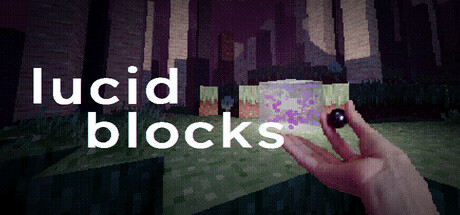

Save recovery, extension compatibility and rendering load need different checks. This guide organizes the current tools and warnings into a practical sequence, using the stability, Agate and Awa updates. It avoids claiming that an optimization note repairs every crash or makes all third-party mods safe.
- Preserve a known working qualia
- Inspect the restored copy before continuing
- Match the mod to the current release
- Treat an initialization script as executable behavior
- Check Vulkan before adjusting visual quality
- Choose render distance by observed load
- Separate scene load from save and menu work
- Record the current environment for a remaining issue
1. Preserve a known working qualia
The 3.0.4 release changes the save format substantially and explicitly asks for backups of valuable qualia. It also makes backups recoverable in-game per save file. Keep a working original and record the version before a change. Saving and teleportation were optimized, with the goal of reducing corruption risk, but the note does not guarantee that every existing damaged file becomes readable. A usable backup and a promise of universal repair are different things.
Sources: Save and stability 3.0.4 update
2. Inspect the restored copy before continuing
Restoration now creates a copy instead of replacing the original world. Open the recovery candidate and confirm that it contains the progress and construction you need before continuing your session there. This preserves a comparison point when the problem concerns a recent mod or version change. The April notes also increase the backup count to twenty-five for that release. That dated count is useful context, while the actual current backup menu is the reference for the files available in your installation.
Sources: Save and stability 3.0.4 update / Settings and fixes 2.9.1
3. Match the mod to the current release
The stability update changes the installation layout and warns that older mods may stop working because of core-code changes. Agate later says mods are safe for its release; Awa again identifies breaking changes in some vermin and world loading. Read these in order. A blanket claim that mods are safe because one June post said so ignores the September warning. If a crash appears after adding an extension, compare with the base setup while preserving the valuable world rather than discarding its files.
Sources: Save and stability 3.0.4 update / Agate 4.0.0 update / Awa 5.0.5 update
4. Treat an initialization script as executable behavior
Agate adds detection that instantiates a mod initialization script when the mod loads. That means a mod can introduce behavior beyond a texture or block appearance. Use extensions whose contents and source you can assess, and verify their compatibility before loading them with an important world. This is a practical software check, not evidence that any installed mod is malicious. The documented feature also does not promise sandbox isolation or safety for arbitrary downloaded scripts.
Sources: Agate 4.0.0 update
5. Check Vulkan before adjusting visual quality
The store requires Vulkan and warns of crashes or severe visual glitches without it. Confirm that prerequisite when the game fails immediately, before interpreting the error as a world-specific performance problem. If the graphics API is available, then compare the same world under a lower render distance. The two tests answer different questions. Awa’s rendering changes reduce some resource use but do not remove the API requirement or establish support for every older graphics device.
Sources: Current Steam listing / Awa 5.0.5 update
6. Choose render distance by observed load
Awa doubles the maximum from ninety-six to one hundred ninety-two blocks and recommends one hundred twenty-eight for medium and high graphics. It also reduces RAM use when distance is below ninety-six. Use the recommendation as a starting point, then observe the same scene when changing distance. Do not assume the new maximum is required or always faster. Generated surroundings, robust blocks and moving entities can change the workload even when the hardware and quality preset are unchanged.
Sources: Awa 5.0.5 update
7. Separate scene load from save and menu work
The stability update improves save and teleportation time, caches block icons and reduces chunk-boundary stutters around many robust blocks. Agate addresses explosion stutter when many dropped items are loaded. Awa fixes a left-click lag spike and refines mimics and water. Note whether the issue occurs during startup, a menu action, travel or a crowded scene. This distinction points to the relevant correction and makes a comparison more useful than changing every graphics option at once.
Sources: Save and stability 3.0.4 update / Agate 4.0.0 update / Awa 5.0.5 update
8. Record the current environment for a remaining issue
Keep the game version, compatibility tool if using Steam Deck, active mods, world and render settings with the observed symptom. The March Deck notice recommends Proton 9.0, while later releases change saves and loading; one dated workaround is not proof that all future versions behave identically. If a failure is reproducible, report the specific step and whether it also occurs in an unmodified setup. Preserve copies before experiments so diagnosis does not replace the only good version of your work.
Sources: Developer Steam Deck notice / Save and stability 3.0.4 update / Awa 5.0.5 update
| Failure context | Useful first check |
|---|---|
| Startup or graphical corruption | Vulkan and graphics support |
| After a mod/version change | Backup and release-specific compatibility |
| Stutter in a scene or action | Render load versus save/menu/interaction work |
Preserve the working world first. Change one relevant part of the setup and compare the same action before drawing a conclusion.
Related guides
Use recovery copies, read mod warnings chronologically and treat scripts as behavior. Check Vulkan, tune render distance from observed load and keep the symptom specific when comparing or reporting a problem.
Sources checked October 14, 2026. Published facts are linked beside their explanations. Planning and practice suggestions are editorial advice rather than verified optimal builds.
Comment
No comments yet. Be the first to post one.