
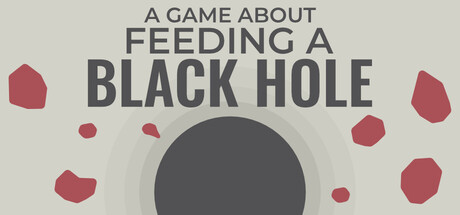

The extra modes, number display and optional visual pack answer different session goals. This guide compares the released variants, their update context and the settings useful for reading or diagnosing the current game, without treating cross-promotion as a new shared campaign.
- Choose the mechanic you want to play
- Keep the orb mode and Roguelike addition separate
- Use the turtle mode within its release scope
- Separate a cosmetic look from progression
- Make large numbers readable for the task
- Hide cross-promotion when it obscures your session
- Match a visual or input problem to its correction
- Compare the current run, not an expired offer
1. Choose the mechanic you want to play
The base loop destroys objects to feed the black hole and buy upgrades. Roguelike emphasizes timed growth and random choices, Orb Breaker adds bouncing orbs, and Just Keep Fishing uses a following turtle. Select the variant for its actual mechanic rather than assuming every mode has the same win condition or upgrade pool. The store’s short base description does not define all later rules; the dated release notices provide the distinction.
Sources: Current Steam listing / Released Roguelike mode / Released Orb Breaker mode / Released Just Keep Fishing mode
2. Keep the orb mode and Roguelike addition separate
Orb Breaker arrives in 1.7.0 with seven upgrades for its new mechanic. The next patch separately adds orbs to Roguelike and retunes that pool. A mechanic appearing in two variants does not prove their timers, choices and completion rules are identical. Read the current mode before applying a demonstration. The developer estimates a short Orb Breaker session and warns that many orbs can create lag, which is context for performance rather than an intended unlock requirement.
Sources: Released Orb Breaker mode / Patch 1.7.1 mode changes
3. Use the turtle mode within its release scope
Patch 1.8.0 introduces a turtle following the cursor and collecting the themed targets, with seven upgrades and a new completion achievement. The approximate ten-to-fifteen-minute session is the developer’s estimate. It does not guarantee an exact completion time or a fixed rate for every configuration. The source mixes fish and asteroid descriptions; no separate fish-to-currency exchange or target inventory is invented here. Observe the actual current mode and its prompts.
Sources: Released Just Keep Fishing mode
4. Separate a cosmetic look from progression
The Googly Eye Supporter Pack adds eyes to the black hole. The developer explicitly describes no gameplay impact, with possible future cosmetic variants discussed as ideas. That makes it a presentation choice, not a resource, score multiplier or verified mode prerequisite. Check whether you own the optional pack when looking for the eyes, and keep the released base mode available independently. A missing optional look should not become a reason to reset a run or buy another unrelated game.
Sources: Googly Eye DLC announcement
5. Make large numbers readable for the task
Patch 1.7.0 adds a Scientific Notation setting and removes the upgrade-screen pop-in animation. Use the number format that makes the current requirement and result easier to compare. Changing presentation does not change a mode’s feeding target, random option or difficulty rule. Hold the selected mode steady when checking a numerical difference so a display change does not become an unsupported claim that an upgrade altered the underlying economy.
Sources: Released Orb Breaker mode
6. Hide cross-promotion when it obscures your session
Patch 1.8.0 adds both a button and a settings option to hide the banner for other games. Those promoted titles include standalone products, even where a celebration mode shares a name with one. Hiding the banner concerns the interface; it does not remove the published mode from your owned game. Read the named product before applying its features or purchase information, particularly when a shared announcement discusses several releases in one post.
Sources: Released Just Keep Fishing mode / Separate game links; Patch 1.6.4
7. Match a visual or input problem to its correction
Patch 1.6.2 fixes controller selector focus and supplies upgrade-screen support. A 1.6.3 follow-up attempts to fix particles when using Play Again. These are different symptoms and do not establish a universal progression repair. Note the screen, control device and action where the issue occurs before changing unrelated settings. A particle artifact after retry can be a presentation problem while the mode’s scoring and timer remain governed by their separate documented rules.
Sources: Patch 1.6.2 controls and scaling / Patch 1.6.3 visual correction attempt
8. Compare the current run, not an expired offer
Recent posts also discuss sales, bundles and other games. The mode releases supply the relevant gameplay facts, while a dated discount is not a present price guarantee. Use the current store for the selected package and the dated patch for the mechanic. This guide focuses on the available modes and settings, not an unverified best-value bundle or fixed winning route. Keep a remaining performance report specific to the variant and scene that produced the problem.
Sources: Current Steam listing / Released Orb Breaker mode / Released Just Keep Fishing mode
| Goal | Relevant option or mode |
|---|---|
| Timed random progression | Roguelike and its current pool |
| Different short mechanic | Orb Breaker or turtle mode |
| Readable presentation | Number format, banner and optional eyes |
Identify whether the question concerns a mechanic, a display setting or an optional product. Match it to that release rather than a shared promotional headline.
Related guides
Choose a mode by its mechanic, keep orb rules and turtle scope clear, and use number or banner settings for readability. Supporter eyes stay cosmetic; input and visual corrections need their own symptom-specific checks.
Sources checked October 14, 2026. Published facts are linked beside their explanations. Planning and practice suggestions are editorial advice rather than verified optimal builds.
Comment
No comments yet. Be the first to post one.